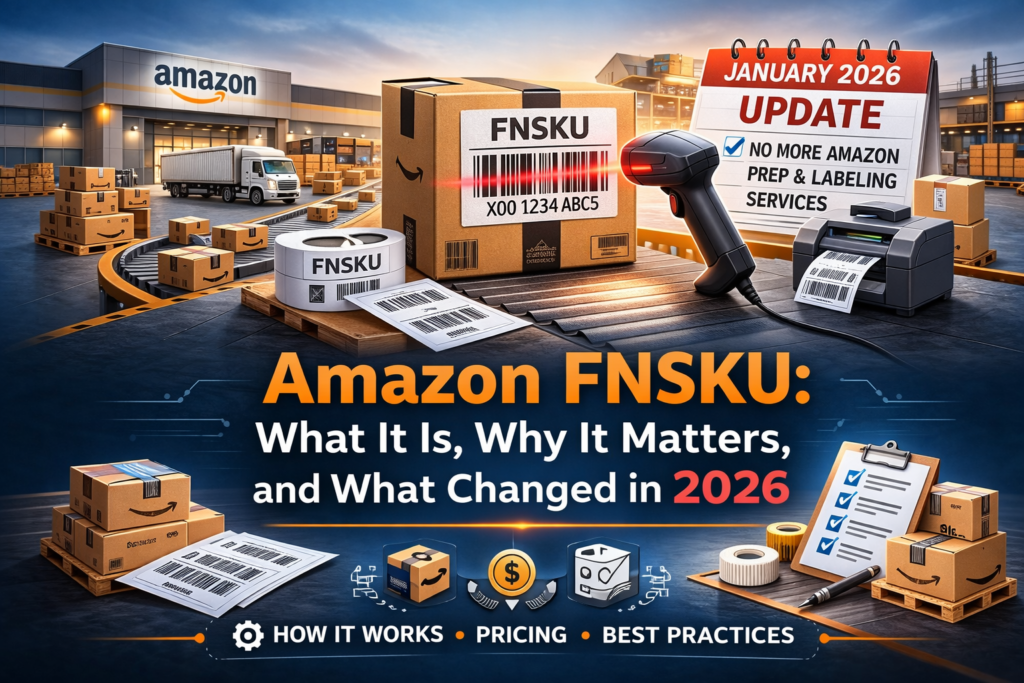
Selling on Amazon, especially through Fulfillment by Amazon (FBA), means navigating a variety of identifiers, barcodes, and operational requirements. One of the most important codes you’ll encounter is the FNSKU — and as of January 2026, Amazon no longer provides FBA prep & labeling services for U.S. sellers, making FNSKU labeling something sellers must handle themselves or outsource.
In this post we’ll explain:
- What an FNSKU is
- How it’s generated and used
- The differences between FNSKU and other identifiers
- What changed in 2026
- Current labeling cost realities for sellers
What Is an FNSKU?
FNSKU stands for Fulfillment Network Stock Keeping Unit. It’s a unique barcode Amazon generates and assigns to each product variant you send through FBA. It tells Amazon which seller a specific item belongs to, ensuring your inventory is tracked and credited accurately within the fulfillment network.
Unlike global barcodes like UPC or EAN, which identify the product itself, the FNSKU identifies the product and the seller account. This distinction is critical when multiple sellers offer the same item, as Amazon relies on FNSKUs to avoid misattribution and commingling of inventory.
FNSKU vs ASIN vs UPC vs SKU: What’s the Difference?
Amazon uses several identifiers in its ecosystem:
- ASIN (Amazon Standard Identification Number): Identifies the product listing on Amazon — the same for all sellers of that item.
- UPC/EAN (Universal Product Code / European Article Number): Standard retail barcodes used globally to identify products.
- SKU (Stock Keeping Unit): Internal code you create to manage your own inventory.
- FNSKU: Amazon’s unique barcode that connects your inventory units back to your specific seller account in the FBA network.
The key takeaway: multiple sellers can share an ASIN, but each seller’s units must have a unique FNSKU to ensure accurate fulfillment.
Why FNSKUs Matter for Amazon Sellers
The FNSKU barcode is essential for:
- Attribution of sales to the correct seller
- Tracking inventory movement in and out of fulfillment centers
- Accurate reimbursements for lost or damaged items
- Reducing risk of commingled inventory
If your products arrive without proper FNSKU labels — or with poorly applied labels — Amazon’s receiving system may misinterpret the units, leading to processing delays, rejected shipments, or inventory errors.
The 2026 Change: No More Amazon FBA Labeling Service
Prior to 2026, Amazon offered an optional labeling service where they would apply FNSKU labels at fulfillment centers on your behalf — for a fee (around $0.55 per unit). This service provided a convenient shortcut for sellers who didn’t want to handle labeling themselves.
However, as of January 1, 2026, Amazon U.S. discontinued this labeling service. This means:
- Sellers must print and apply FNSKU labels before inventory arrives at fulfillment centers.
- There’s no longer a paid Amazon option to apply labels at the FC.
- Units without proper FNSKU labels may be rejected at check-in.
This shift has made FNSKU labeling part of the seller’s core operational workflow — not something Amazon handles later.
How to Generate and Print FNSKU Labels
Amazon automatically generates FNSKUs when:
- You create or convert a listing to FBA.
- You set your barcode preference to “Amazon barcode” in Seller Central.
You can find and print FNSKU labels here:
- Go to Manage Inventory in Seller Central
- Select Print item labels
- Download and print the PDF
- Apply labels on each individual unit before shipping to Amazon
Proper label formatting and placement is crucial — labels should be on a flat surface and completely cover any existing barcodes to avoid mis-scans.
FNSKU Labeling Costs in 2026
With Amazon’s in-house labeling discontinued, sellers must evaluate labeling costs as part of their operational budget. Here’s a look at the typical approaches and associated costs:
1. DIY Labeling
- Label sheets: ~$15 for ~3,000 labels
- Cost per unit: Under $0.01
- Best choice for sellers managing smaller shipments or controlling every detail.
2. Supplier Labeling
- Suppliers can apply FNSKU labels before shipping products to you.
- Cost per unit: Typically $0.10–$0.30
- Requires coordination but saves time.
3. Third-Party Prep Services
- Professional prep centers apply labels, inspect units, and help prep shipments.
- Cost per unit: Usually $0.50–$1.50
- Most expensive but saves seller time and operational effort.
Your choice depends on your volume, operational bandwidth, and whether time or money is your most constrained resource.
Best Practices for FNSKU Labeling
To avoid delays, rejections, or scanning errors:
- Cover all existing barcodes on the unit — Amazon must scan only the FNSKU.
- Use proper adhesive label stock — avoid printer paper taped onto products.
- Print clean, high-contrast labels that scan reliably.
- Verify each label before sealing cartons — mistakes early can multiply downstream.
Common FNSKU Labeling Mistakes Sellers Make
Even experienced sellers can slip up. The most common mistakes include:
- Labels that don’t fully cover the underlying barcode. This can lead scanners to read the wrong code.
- Wrinkled or smudged barcodes that fail to scan.
- Applying FNSKUs to FBM orders — FNSKUs are only required for FBA.
- Using outdated labels after relisting or barcode preference changes.
Avoiding these errors head-on keeps your inventory flowing smoothly into Amazon’s network.
Final Thoughts
The Amazon FNSKU is more than just a barcode — it’s the link that connects every unit to your seller account inside Amazon’s fulfillment system. With Amazon’s labeling service no longer available in the U.S. after January 2026, mastering FNSKU labeling has become an operational priority for FBA sellers.
By understanding what FNSKUs are, how they’re created, and how much they cost in practical terms, sellers can avoid inbound issues, reduce delays, and keep their products moving efficiently through Amazon’s fulfillment centers.
If you’re scaling your Amazon business, incorporating FNSKU labeling into your workflow is no longer optional — it’s essential to maintaining a healthy, profitable FBA operation.